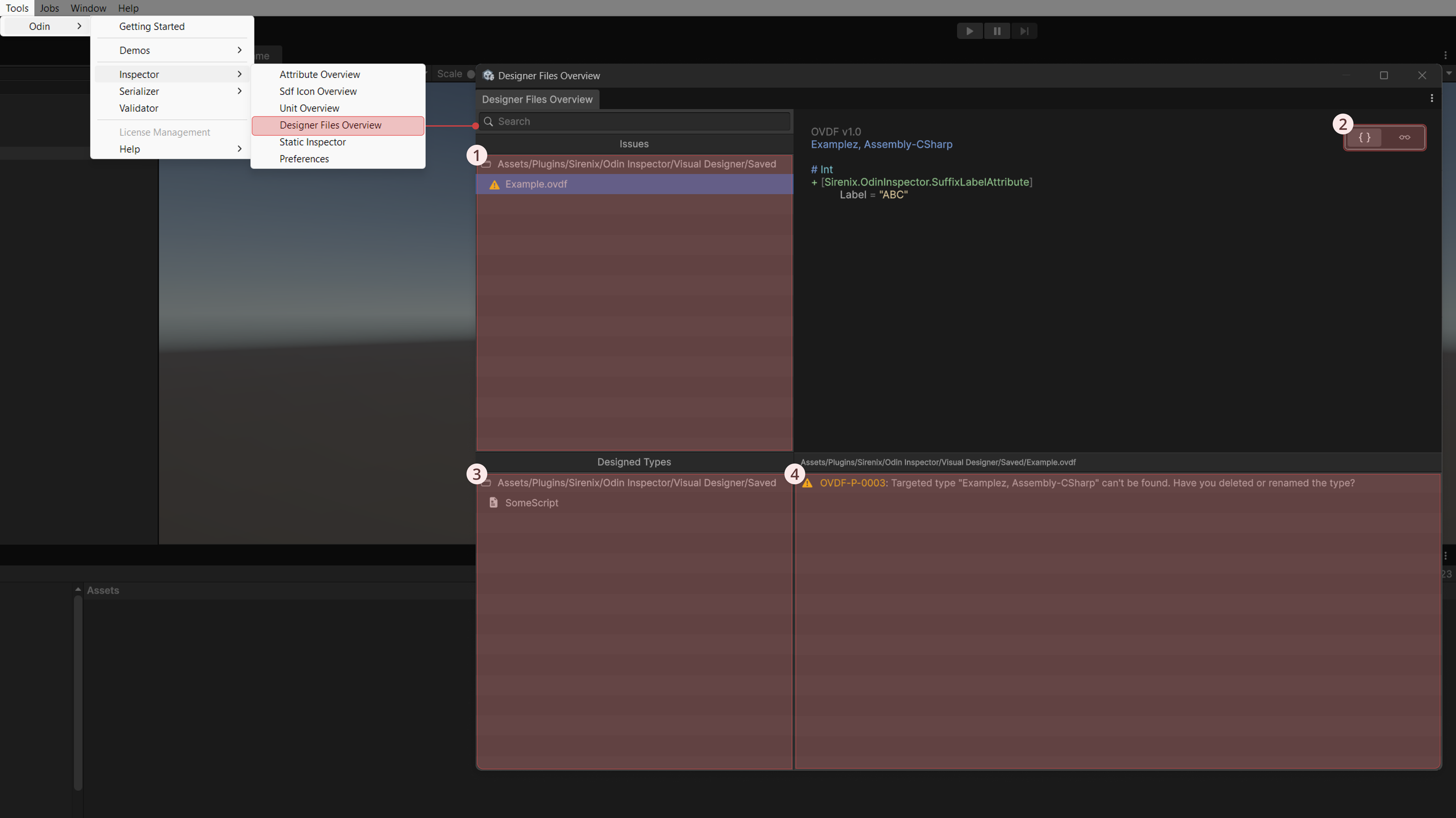
The Designer File Overview gives a quick snapshot of all your project’s designed types, their locations, and any warnings or errors.
The Designer File Overview is located at [Tools > Odin > Inspector > Designer Files Overview]
- Designer files with errors or warnings appear in the Issues section, where you can click a file to see the specific problems. This section only appears if at least one file has errors or warnings.
- Two buttons let you toggle between a simplified overview with extra details and the raw text file with syntax highlighting.
- The Designed Types section lists all currently designed types. Right-clicking a type opens a context menu for actions such as pinging the file in Unity, opening it in the system file explorer, or editing it in the default external editor.
- This box shows the current issues for whichever file is selected.